The storm knocked the power out at 9pm. At 11pm you opened the app to check the driveway and got a spinning icon.
Solar Power for Security Cameras in NZ
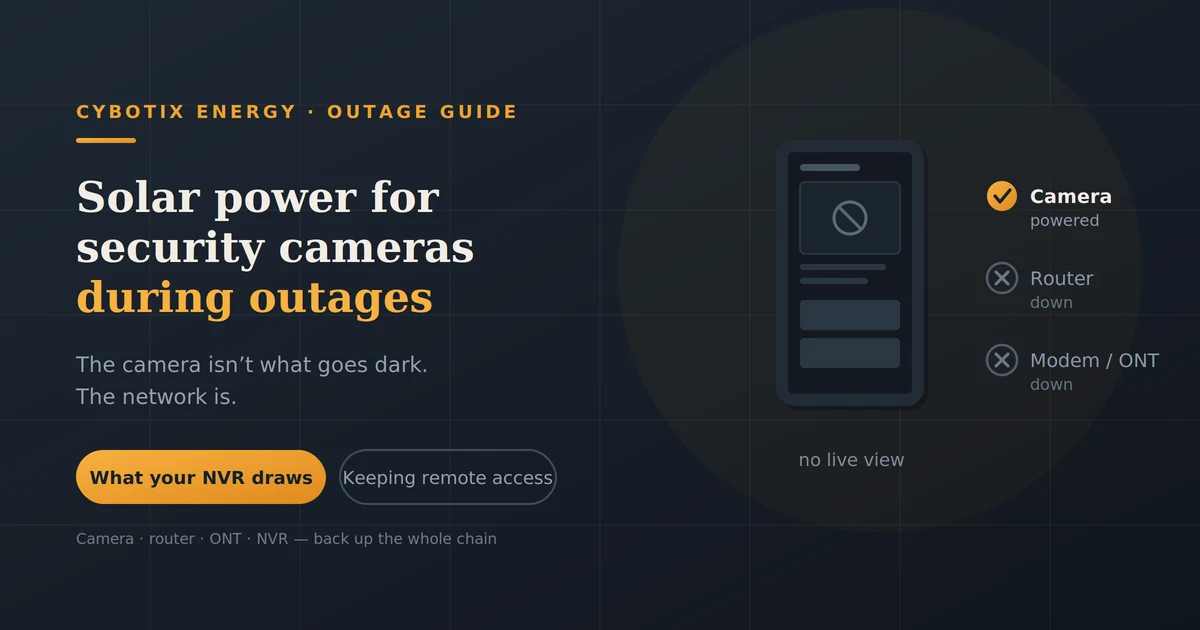
Here’s the thing about solar power for security cameras: powering the camera is the easy part. Cameras sip electricity. What goes dark during an outage isn’t usually the camera it’s the router, the modem and the recorder sitting between the camera and your phone. Back up the camera alone and you’ve built a system that watches your property and tells nobody.
This is about keeping the whole chain alive.
Can solar power run security cameras during an outage?
Yes, comfortably. A typical IP camera draws 3–8W, which is less than a phone charger. A modest panel and battery will run one indefinitely in good conditions.
But a powered camera you can’t see is worth very little. The useful question is whether your whole system stays up camera, router, modem or ONT, and recorder. That’s a bigger job, though still a small one in energy terms.
The mistake almost everyone makes
Your camera doesn’t send footage to your phone. It sends footage to your router, which sends it to your ISP, which sends it to your phone. Break any link and remote viewing stops.
During a power cut, here’s what actually happens:
| Component | On mains power? | What happens |
|---|---|---|
| Camera | Usually yes | Dies unless backed up |
| Wi-Fi router | Yes | Dies no local network |
| ONT / modem | Yes | Dies no internet |
| NVR / recorder | Yes | Dies no recording |
| ISP street cabinet | Not yours | May have limited backup |
| Cell tower | Not yours | Backup is limited in long outages |
Power only the camera and you get a device happily recording to its SD card that you cannot reach. Power the camera, router and ONT and you’re usually back in business provided your ISP’s equipment is still up, which is outside your control.
That last point matters. In a widespread regional outage, street cabinets and cell towers run on their own batteries, and those have limits. Plan for local recording to be your fallback rather than assuming remote access always survives.
What your security system actually draws
Small numbers, but they add up differently than people expect.
| Device | Typical draw | Per 24 hrs |
|---|---|---|
| Wi-Fi IP camera | 3–6W | 72–144Wh |
| PoE camera | 4–8W | 96–192Wh |
| Wi-Fi router | 6–12W | 144–288Wh |
| ONT / fibre modem | 5–10W | 120–240Wh |
| NVR (4–8 channel) | 15–40W | 360–960Wh |
| 4G backup router | 5–10W | 120–240Wh |
Why the NVR is the expensive part
Look at that table again. Four cameras might total 20W. A single NVR with spinning hard drives can draw twice that on its own, continuously, because it’s a small computer that never sleeps.
If you’re sizing backup and the numbers feel large, the NVR is why. Some people choose to back up cameras, router and ONT keeping remote viewing and cloud alerts alive and let the NVR go dark, relying on camera-side SD recording instead. That’s a legitimate trade and it roughly halves the capacity you need.
PoE versus battery cameras
PoE cameras draw power over the same cable that carries data, from a switch or the NVR. Efficient and reliable, but they die when that switch dies so backing up the switch is part of the job.
Battery or solar cameras have their own power and keep running regardless. They’re the simplest answer for one camera at a gate or shed, and they still can’t reach your phone without a working network.
Two ways to do this
| All-in-one solar camera | Mains cameras + backup power | |
|---|---|---|
| What it powers | That camera only | Camera, router, ONT, NVR |
| Remote viewing in an outage | No, unless network is backed up | Yes |
| Upfront cost | Lower per camera | Higher |
| Install | Mount and go | Plug-in, or electrician if hard-wired |
| Winter performance | Weaker small fixed panel | Stronger larger panel or grid charging |
| Best for | A gate, shed or paddock with no wiring | Whole-property security that stays online |
They aren’t mutually exclusive. A common sensible setup is mains cameras with a backup unit for the network gear, plus a standalone solar camera covering somewhere you’d never run a cable.
Sizing backup for the whole system
Work out your total, then apply roughly 85% usable capacity.
Worked example four cameras, router, ONT, no NVR:
| Load | Draw | 24 hrs |
|---|---|---|
| 4 × IP cameras | 20W | 480Wh |
| Router | 10W | 240Wh |
| ONT | 8W | 192Wh |
| Total | 38W | 912Wh |
912 ÷ 0.85 = 1,073Wh of rated capacity for 24 hours
So a 1,000Wh unit covers roughly a day. Add an NVR at 30W and you’re looking at another 720Wh, pushing you toward 2,000Wh for the same period.
For overnight only, halve it. For a multi-day storm, you need solar input no battery at sensible cost runs a security system for a week.
The method behind these numbers is in our guide to what a 500Wh power station will run, which covers the same arithmetic for smaller loads.
Solar input what’s realistic in New Zealand
The good news: a security system is a small, steady load, which is exactly what solar handles well.
Plan on 70–80% of a panel’s rated output after heat, angle and cable losses. New Zealand peak sun hours run roughly 4–5 in summer and 2–3 in winter, lower in the South Island.
For the 38W example above, needing ~912Wh/day:
Winter, 2.5 peak sun hours, 75% derate
912 ÷ (2.5 × 0.75) = ~490W of panel
Summer needs roughly half that. Which tells you the thing that matters: size for June, not January. Our article on how solar panels perform through a New Zealand winter has the regional figures.
Small panels on cameras the shading and grime problem
The little panels bundled with solar cameras are rated optimistically. Real output suffers from three things:
- Fixed orientation. It points where the camera mount allows, not where the sun is.
- Shading. A single branch across the panel for two hours a day costs more than people expect.
- Grime. Dust, pollen, bird mess and on the coast salt film. Nobody cleans them.
If you install one, put it somewhere you can actually reach, and clean it before winter. An unreachable panel is one you’ll never maintain.
Keeping remote access alive
This is the piece most setups are missing.
Backing up your router and ONT keeps your local network and fibre connection alive but only if your ISP’s equipment is also up. In a localised outage that’s often fine. In a regional one, it may not be.
A 4G or 5G backup router is the practical answer. It draws 5–10W, runs happily off the same backup unit, and gives you a second path to the internet that doesn’t depend on your fibre line.
Worth knowing the honest caveat: cell towers have their own battery backup, and in extended outages that’s finite too. A mobile connection is a good second option, not a guarantee.
What still works when everything fails
Reassuring, and worth planning around deliberately.
Local recording continues as long as the camera has power. Footage goes to the camera’s SD card or the NVR’s drive, and it’s there when the power comes back even if you couldn’t see any of it live.
Three things to check now rather than after an incident:
- Is local recording actually enabled? Some cameras default to cloud-only.
- How much storage, and what’s the overwrite setting? A small card recording continuously may overwrite the footage you needed.
- Is the camera set to record continuously or only on motion? Motion-only stretches storage considerably and draws less power.
If remote viewing is out of reach during a storm, local recording is what you still have. Make sure it works.
New Zealand specifics
Outages and weather correlate. The nights you most want the cameras up are storm nights which are also the days with least solar generation. Store energy for the bad stretch, not the average day.
Rural properties. Longer response times and more to watch. This is where backup earns its cost, and where a 4G fallback matters most because fibre faults take longer to fix.
Coastal salt. Panels near the sea need cleaning more often than inland ones. Budget 10–20% output loss between cleans.
Holiday homes. A bach that’s empty for months is the strongest case on this page. It’s also the hardest to maintain, so favour simple setups you can check remotely.
Who should bother
Worth it if you:
- Live rurally or somewhere with slow emergency response
- Own a holiday home or a property that’s regularly empty
- Run business premises with stock or equipment on site
- Have lost power more than a couple of times in the last year
Probably not worth it if you:
- Live in town with reliable supply and short outages
- Are happy with local recording you review afterwards
- Have one doorbell camera and no real security concern
There’s no shame in the second list. For many households, “the footage is there when the power comes back” is a perfectly reasonable position, and it costs nothing.
FAQs
Will my security cameras work in a power cut?
The camera might, if it has battery or solar power. But your router, modem and recorder won’t unless they’re backed up, so you’ll usually lose remote viewing even if the camera keeps recording.
How much solar do I need for a security camera?
A single camera at 5W needs very little around 50–80W of panel covers it year-round in most of New Zealand. Backing up the router and modem too takes considerably more.
Do Wi-Fi cameras work without internet?
They keep recording locally to an SD card or NVR, but you can’t view them remotely and cloud alerts won’t send. Check local recording is enabled before you need it.
How long will a power station run my cameras?
A 1,000Wh unit runs four cameras plus router and modem for roughly a day. Add an NVR and that drops to around half.
Are solar security cameras any good in a New Zealand winter?
They work, with reduced output. Fixed panel orientation and shading hurt more than the season does, so placement and cleaning matter as much as panel size.
Do I need an electrician?
Not for plug-in backup power. Anything hard-wired into existing camera or network circuits needs a registered electrician.
Should I back up the NVR or just the cameras?
Depends what you want. Backing up cameras, router and modem keeps you watching live. Backing up the NVR as well keeps central recording running, and roughly doubles the capacity you need.
Work out your own chain
List what’s actually between your camera and your phone camera, switch, router, ONT, NVR and total the watts. Most people find the number smaller than they feared and the component list longer than they realised.
Send us that list and how long you want to stay online, and we’ll size it honestly, including when local recording alone is the sensible answer. The range is at Cybotix Energy.